DocumentationFor admins
Custom models (BYOM)
Bring Your Own Model: connect OpenAI-compatible endpoints with Name, Endpoint URL, Model id and API key. Keys AES-256-GCM encrypted, anonymization in front, grants via Governance Center.
5 min readUpdated
What Bring Your Own Model is
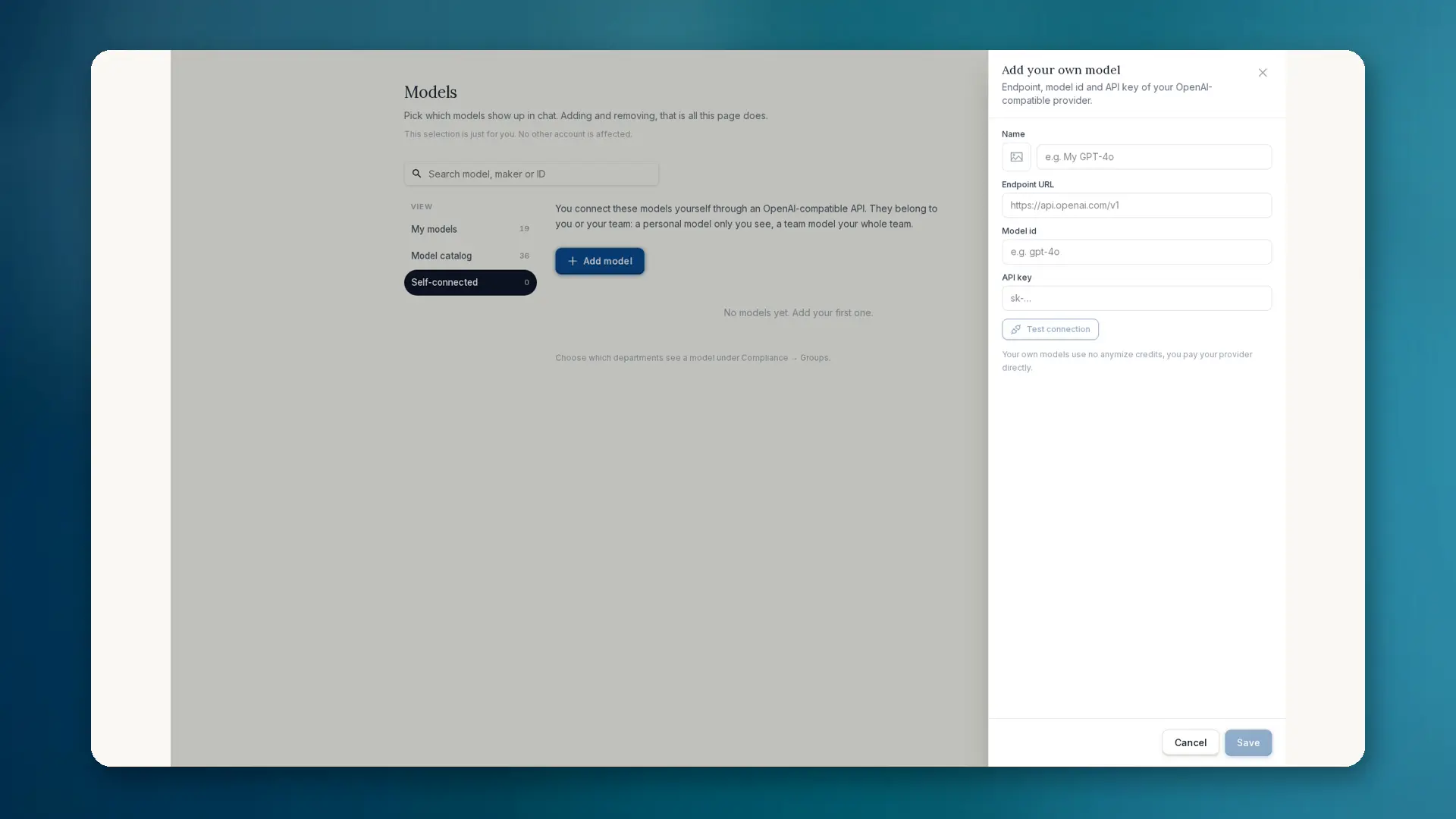
Some teams run their own models: self-hosted, as a cloud deployment or with an EU provider. With BYOM you connect any OpenAI-compatible model to anymize. You need Name, Endpoint URL, Model id and API key.
- Test the connection before going live
- Optional custom icon for the model picker
- Appears under Self-connected / custom models
- Create personally or for the team
- Own models use no anymize credits; you pay the provider
How to set it up
- 01Open Settings and choose Governance.
- 02Open Governance Center, then Models → Self-connected → Add model.
- 03Enter Name, Endpoint URL, Model id and API key (OpenAI-compatible).
- 04Test the connection. Only then is the model selectable in chat. Own models use no anymize credits.
- 05Optionally pick an icon. In chat choose it under Self-connected / custom models.
The API key is stored AES-256-GCM encrypted and never returned to the browser. Before each use anymize checks ownership.
Governance and anonymization
Anonymization runs before BYOM just as before every other model. Group model grants apply here too. Admins can block personal custom models team-wide: compliance rule Block personal custom models. Team models remain allowed.
Details on model selection and the difference between selection and permission are under Governance: Models.
When BYOM makes sense
- Own on-premise or EU-hosted model with a special contract
- Internal models not in the public catalog
- Teams that want model and governance in one workplace