DocumentationTools
Intensive Research
Multi-step research tool in chat alongside web search: structured search, source checks, compare claims and deliver a reliable briefing. Admins can disable it on Team plan.
4 min readUpdated
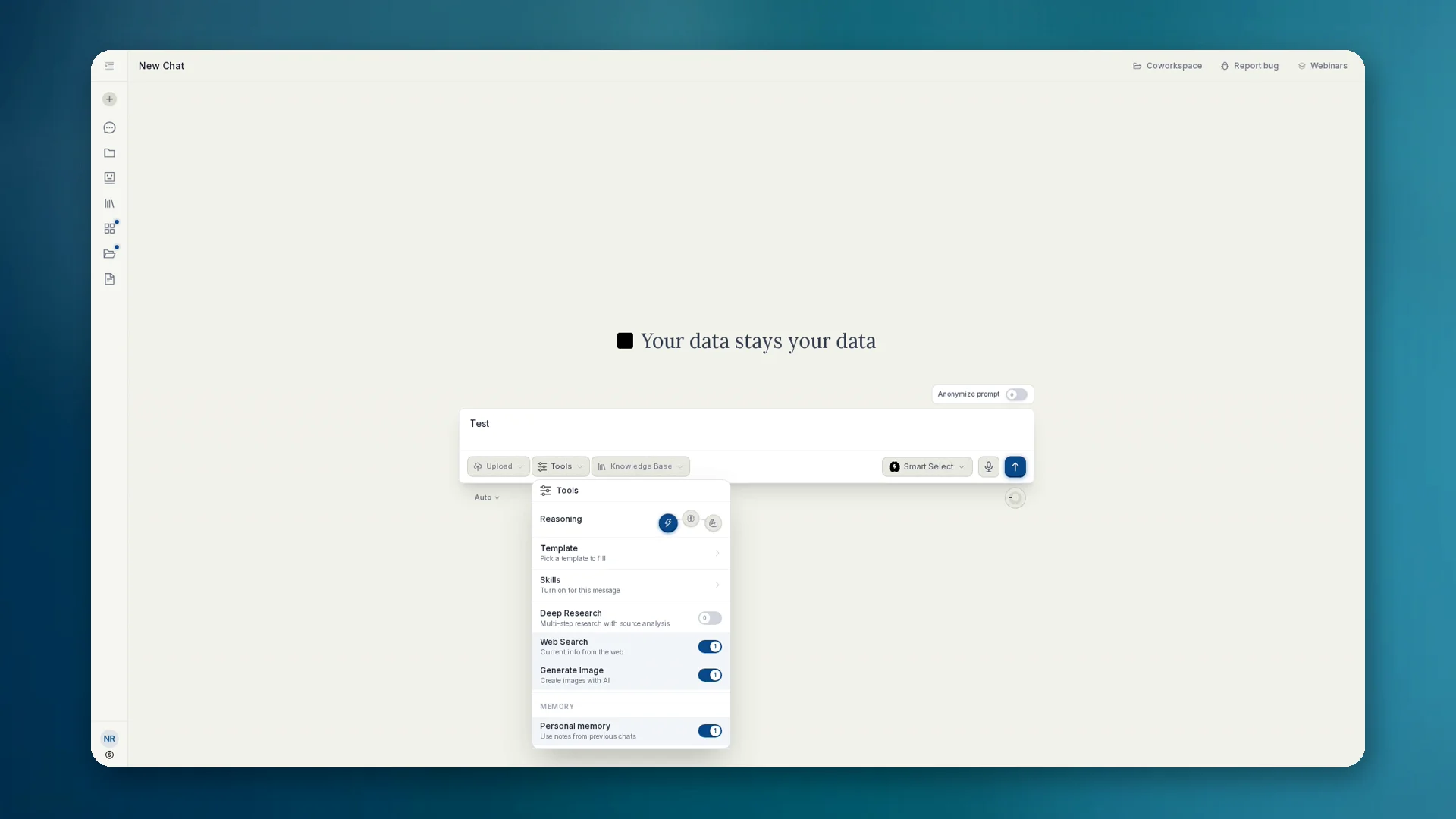
What Intensive Research is
Intensive Research is the German product name for multi-step research in chat. In the English app UI the toggle is Deep Research (subtitle: Multi-step research with source analysis). Internally and in governance flags the mechanism is often deep_research.
Unlike a single web search: anymize searches in a structured way, checks sources, compares claims and delivers a reliable result. Suited for due diligence, market briefings and cases where one search is not enough.
How to use it
- 01In chat open Tools and enable Deep Research (DE product name: Intensive Recherche; sits alongside Web Search and Generate Image).
- 02State the research question clearly: goal, time range, region, what to exclude.
- 03Read the result and sources. Ask follow-ups until the briefing holds.
- 04Optionally export as an artifact or move into a knowledge base.
Governance: disable in the team
On Team plan admins can set Disable Intensive Research under Compliance (flag disable_deep_research). Then normal web search can stay available, the intensive variant cannot. The model is not offered the tool.
If you only want search hits, not deep multi-step runs: Intensive Research off, web search on. Details under Governance: Compliance.
When instead of simple web search
- Due diligence and background checks with source comparison
- Market and competitive briefings
- Topics where conflicting sources must be checked