DocumentaciónAnonimización
Diccionario personal
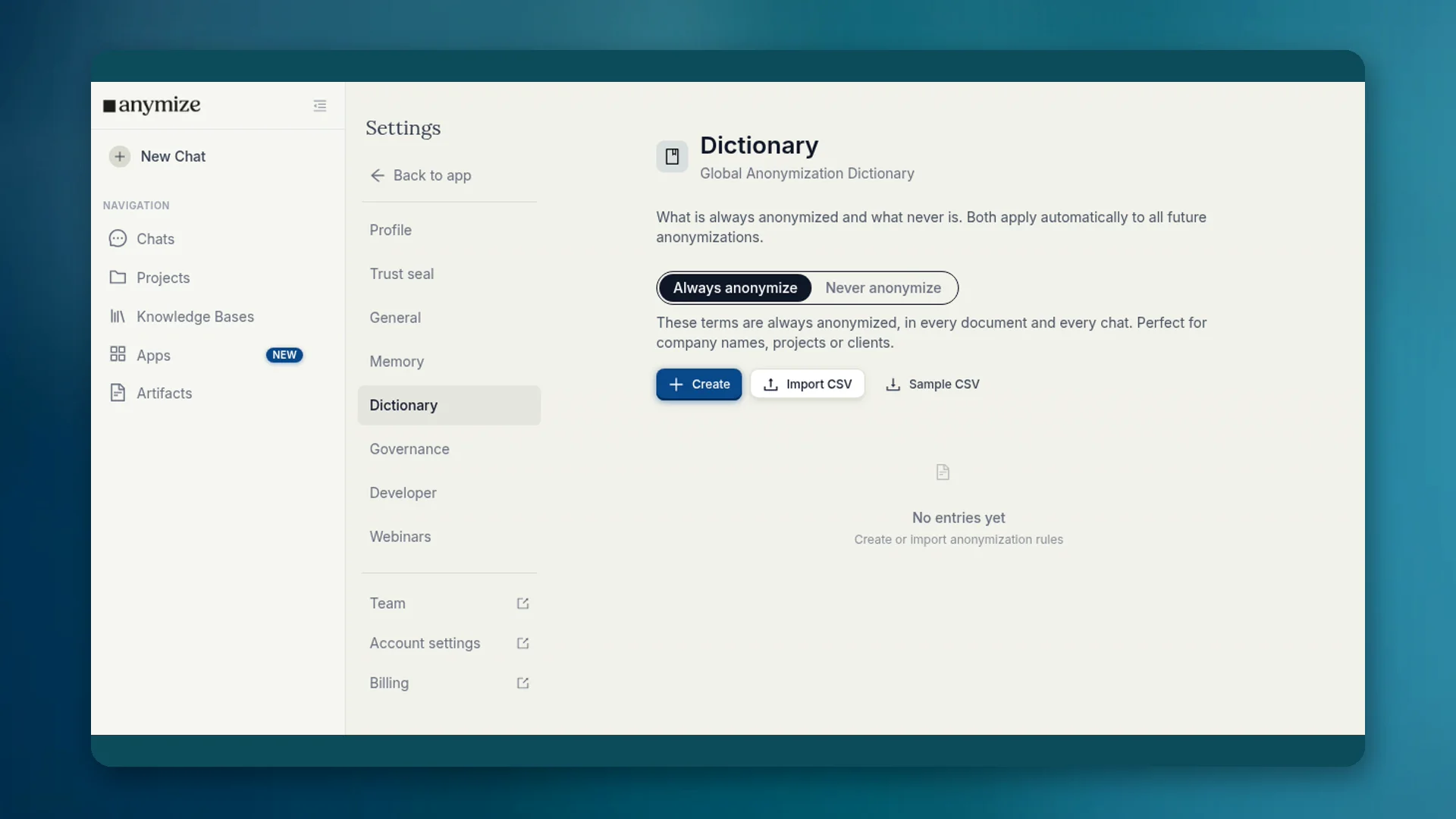
En el diccionario decides qué términos se anonimizan siempre y cuáles nunca. Las listas aplican automáticamente en cada chat y documento.
4 min de lecturaActualizado el
Para qué sirve el diccionario
La detección no conoce tus términos internos. Un nombre de proyecto puede quedar en texto claro aunque sea sensible. El nombre de tu despacho puede convertirse en un marcador y dificultar la lectura de las respuestas. El diccionario corrige ambas cosas de forma permanente.
Dónde encontrarlo
- Apps → Diccionario: la misma interfaz en el área de Apps.
- Ajustes → Diccionario: diccionario global de anonimización de la cuenta.
- Governance Center → Diccionario: entradas de equipo para admins (ver artículo aparte).
Apps y Ajustes muestran tus listas. Las entradas válidas para todos los miembros las gestionan propietarios y admins en el diccionario del Governance Center.
Siempre y Nunca
| Lista | Ejemplo | Efecto |
|---|---|---|
| Anonimizar siempre | Nombre del cliente, proyecto interno, nombre en clave | Se convierte en un marcador en cada documento y chat |
| No anonimizar nunca | Nombre de tu despacho, nombre de producto, término técnico | Permanece en texto claro y llega al modelo sin cambios |
Crea entradas con Crear o importa un CSV. Para Anonimizar siempre eliges también la categoría del marcador (persona, organización, lugar y otras).
Personal y Governance
Tu diccionario personal se aplica a ti. Las entradas de equipo se aplican a todos y solo pueden establecerlas propietarios y admins, porque cambian la anonimización de todo el equipo. Los detalles y la regla Bloquear diccionario de equipo están en Governance → Diccionario.
En resumen: aquí, el ajuste fino para ti. Las reglas vinculantes de la casa, en el diccionario del Governance Center.
Casos típicos
- El nombre de tu empresa se detecta por error como organización → No anonimizar nunca.
- No se detecta el nombre en clave de un cliente → Anonimizar siempre.
- Un término de derecho fiscal parece un nombre → No anonimizar nunca.