DocumentaciónHerramientas
Investigación intensiva
Herramienta de investigación en varios pasos en el chat junto a la búsqueda web. Los admins pueden desactivarla.
4 min de lecturaActualizado el
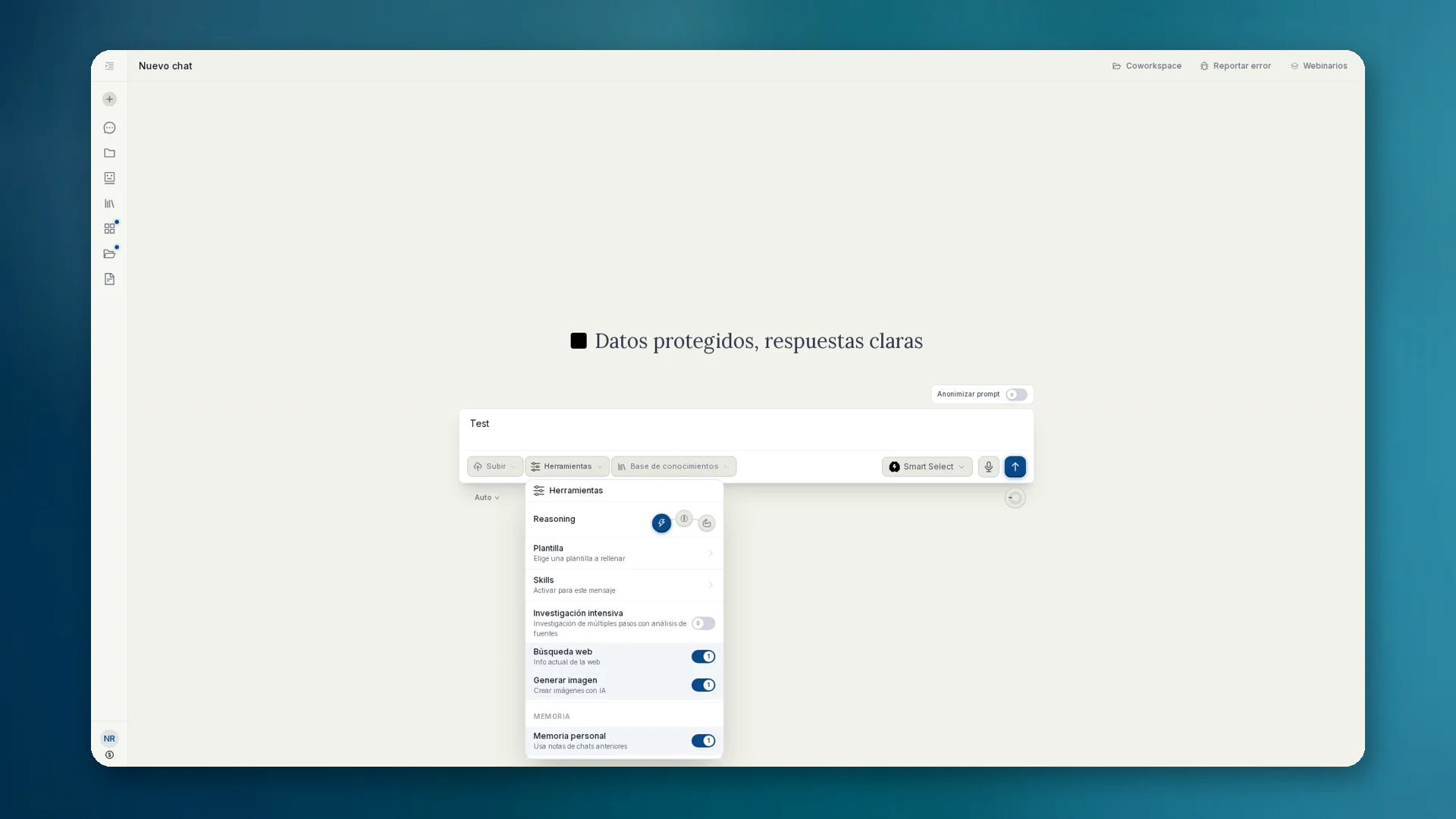
Qué es la investigación intensiva
Intensive Recherche es el nombre alemán del producto para la investigación en varios pasos en el chat. En la interfaz en español la opción se llama Investigación intensiva (Deep Research en la interfaz en inglés). Internamente y en las reglas de gobernanza, el mecanismo suele llamarse deep_research.
A diferencia de una única búsqueda web, anymize busca de forma estructurada, comprueba fuentes, compara afirmaciones y entrega un resultado fiable. Adecuado para due diligence, informes de mercado y casos en los que una búsqueda no basta.
Cómo usarla
- 01En el chat, abre Herramientas y activa Investigación intensiva (junto a Búsqueda web y Generar imagen).
- 02Formula con claridad la pregunta de investigación: objetivo, periodo, región, qué excluir.
- 03Lee el resultado y las fuentes. Haz preguntas de seguimiento hasta que el informe se sostenga.
- 04Si quieres, expórtalo como artefacto o muévelo a una base de conocimientos.
Gobernanza: desactivar en el equipo
En el plan Equipo, los admins pueden activar Desactivar investigación profunda en Cumplimiento (regla disable_deep_research). La búsqueda web normal puede seguir disponible, la variante intensiva no. La herramienta deja de ofrecerse al modelo.
Si solo quieres resultados de búsqueda y no procesos largos en varios pasos: Investigación intensiva desactivada, búsqueda web activada. Detalles en Governance: Cumplimiento.
Cuándo en lugar de una búsqueda simple
- Due diligence y verificaciones de antecedentes con comparación de fuentes
- Informes de mercado y competencia
- Temas en los que hay que contrastar fuentes contradictorias