DocumentaciónHerramientas
Mejorador de prompts
Un borrador corto se convierte en un prompt estructurado con el botón cerebro en Enviar.
4 min de lecturaActualizado el
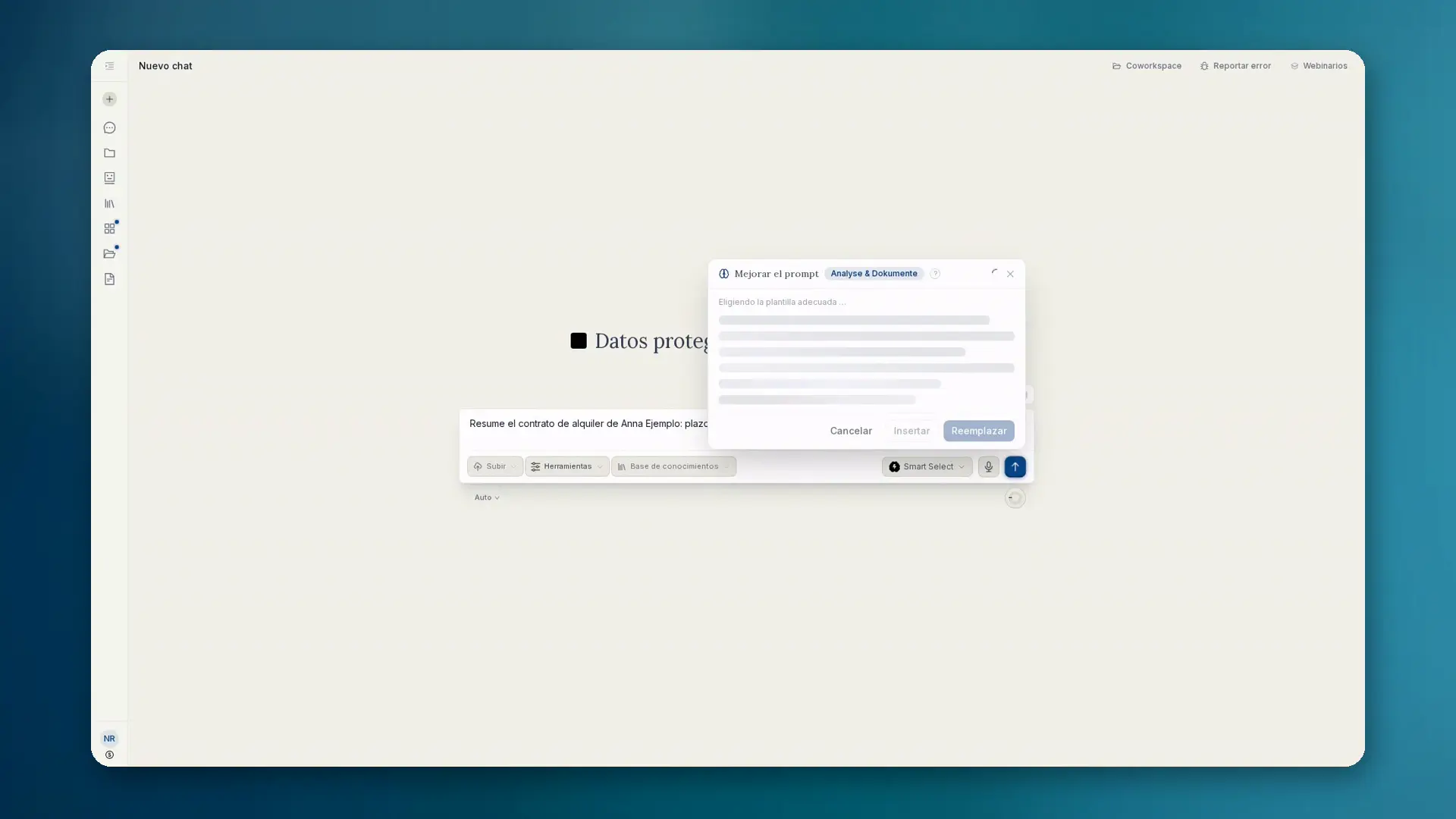
Qué hace el mejorador de prompts
En el campo de entrada del chat y de los proyectos necesitas primero un borrador. Solo entonces: en escritorio, pasa el cursor sobre el botón Enviar; en móvil, tócalo. Aparece el botón Mejorar el prompt. Un clic reescribe tu breve borrador como un prompt claramente estructurado.
- Añade rol, contexto, pasos, restricciones y formato de salida
- Muestra el resultado en directo como markdown en un panel
- Insertar, Reemplazar o Descartar. El envío sigue siendo una acción aparte
Contexto y plantillas
La mejora usa el historial del chat y los archivos adjuntos. Doce plantillas se aplican automáticamente, entre ellas Derecho (DACH), Programación, Análisis, Investigación, Imagen, Presentaciones, Resumen y Traducción.
La mejora funciona con un modelo alojado en la UE. El resultado es markdown y encaja en la interfaz.
Cómo proceder
- 01Escribe un borrador breve en el campo de entrada (sin texto, el botón no aparece).
- 02Pasa el cursor sobre Enviar (escritorio) o tócalo (móvil) y elige Mejorar el prompt.
- 03Lee la reescritura en directo en el panel.
- 04Inserta o reemplaza el borrador y envía como siempre. O descártalo.
Cuándo usarlo
- Tienes la idea, pero aún no una estructura de prompt limpia
- Las tareas recurrentes deben empezar con una redacción coherente
- Quieres contexto de archivos y chat sin volver a escribirlo todo