DocumentationOutils
Génération d'images dans le chat
Les images naissent dans le chat via tool-call vers des modèles de génération d'images modernes. Nous adaptons la stack dès que de meilleurs modèles sortent. Inclus dans l'abonnement.
4 min de lectureMis à jour le
Qu'est-ce que la génération d'images
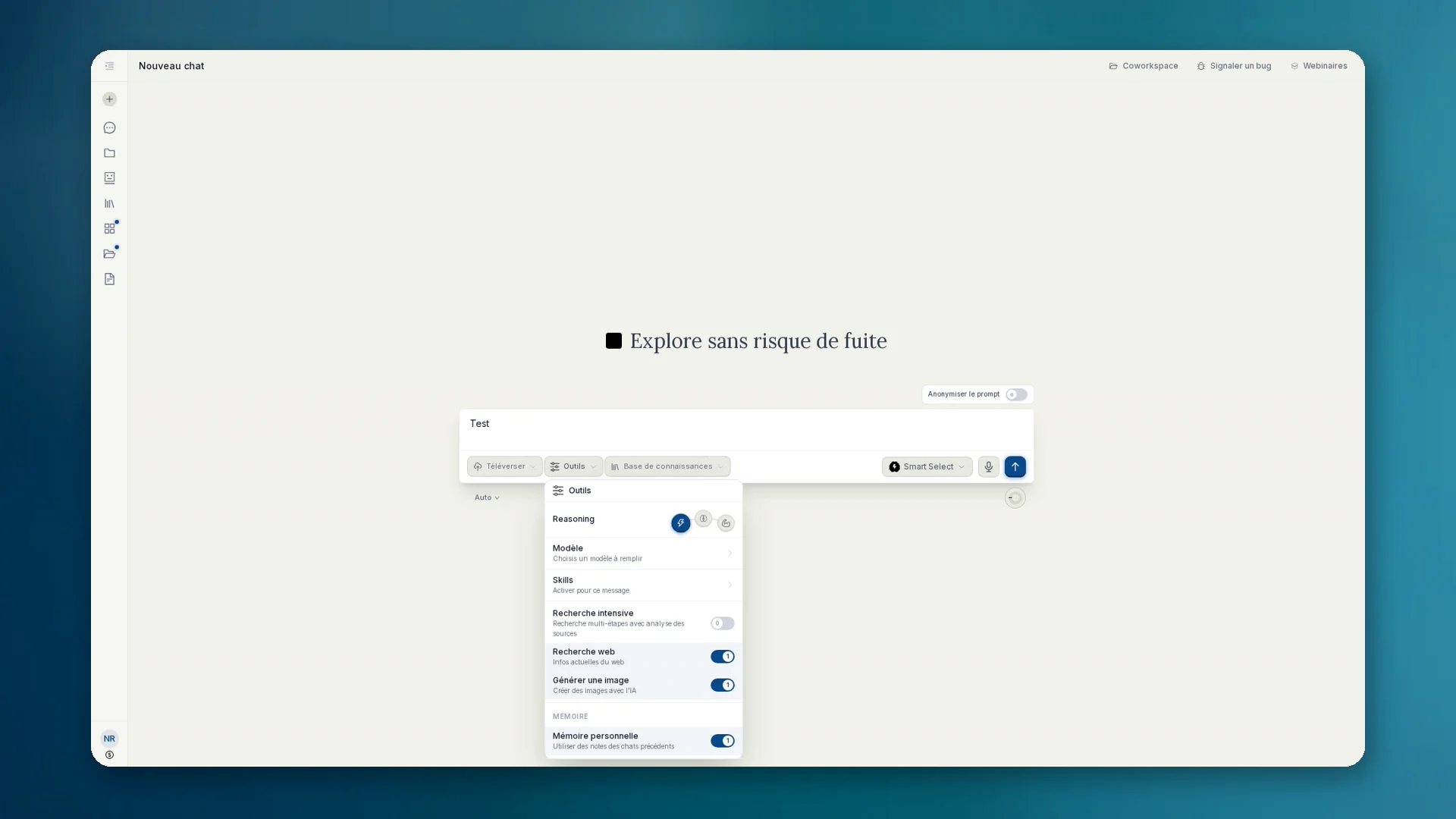
La génération d'images n'est pas un espace Apps séparé, c'est un outil du chat. Tu décris ce dont tu as besoin. Le modèle de chat choisi reconnaît la demande d'image, rédige un prompt d'image et appelle le modèle d'image comme outil externe.
anymize utilise des modèles modernes de génération d'images et met à jour l'intégration dès que des modèles plus performants sont disponibles. Tu n'as besoin ni d'un abonnement supplémentaire ni de changer de modèle toi-même.
Comment l'utiliser
- 01Dans le chat, ouvre Outils et active Générer une image.
- 02Décris l'image voulue et envoie. Le modèle de chat lance l'appel d'outil vers le modèle d'image.
- 03Vérifie le résultat. Affine avec des demandes de suivi (style, cadrage, texte dans l'image).
- 04Télécharge en PNG ou JPG. Enregistre-la si tu veux comme artefact ou dans une base de connaissances.
Confidentialité et facturation
- Si nécessaire, les prompts sont anonymisés avant d'atteindre des modèles d'image externes.
- La génération d'images fait partie de l'abonnement anymize. Pas de facturation séparée à l'image.
- Pour les sujets sensibles : garde l'anonymisation active et vérifie ce qui atteint le point de terminaison.
Quand ça vaut le coup
- Maquettes, infographies, visuels de concept pour un pitch ou une présentation client
- Illustrations qui coûtaient auparavant des banques d'images ou du temps d'agence
- Variantes rapides dans le même chat au lieu de changer d'outil