DokumentasjonVerktøy
Intensiv research
Flertrinns research-verktøy i chatten ved siden av netsøk. Admins kan slå det av.
4 min lesetidOppdatert
Hva intensiv research er
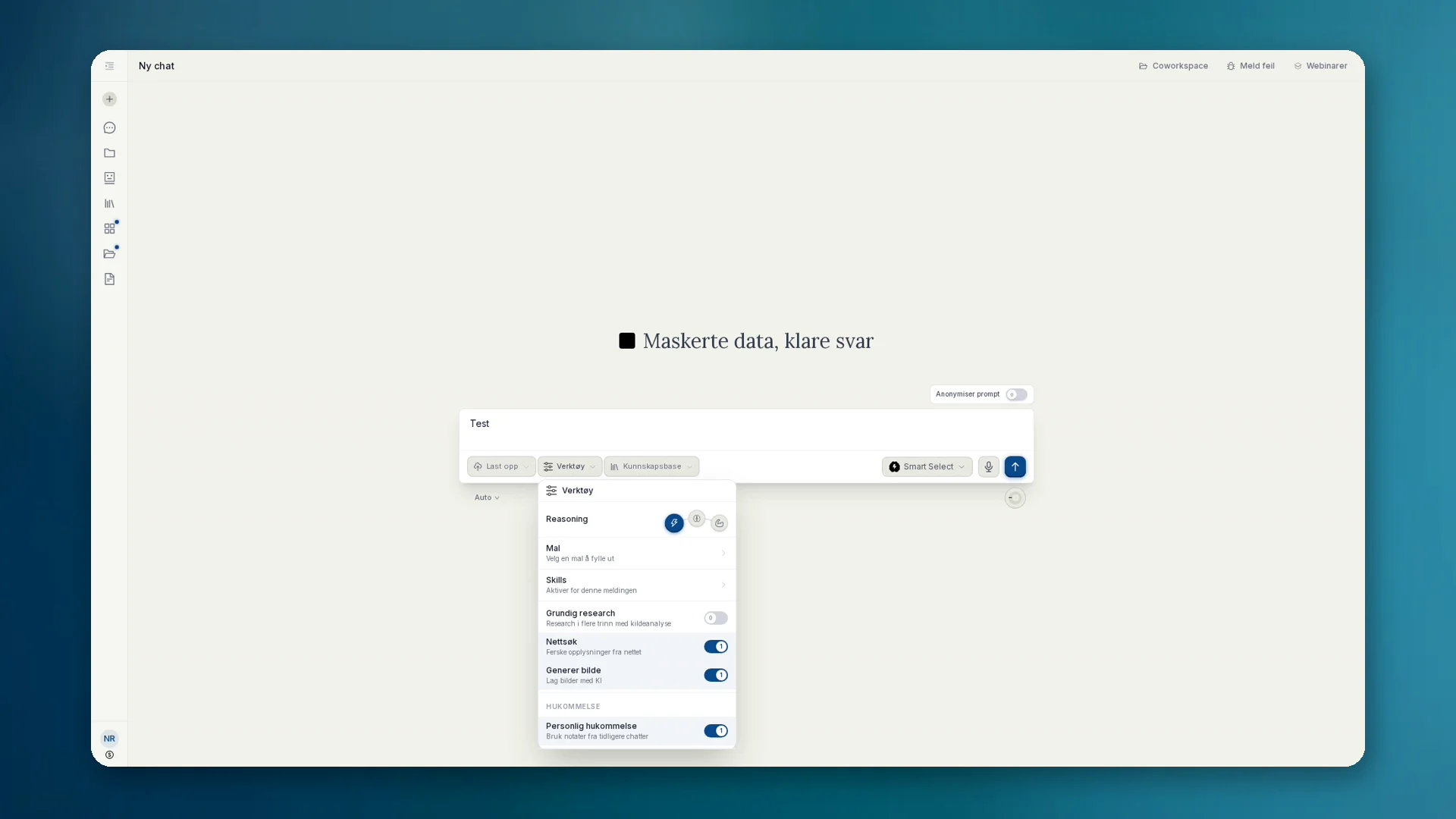
Intensive Recherche er det tyske produktnavnet for research i flere trinn i chatten. I det norske grensesnittet heter funksjonen Grundig research (Deep Research i det engelske). Internt og i governance-regler heter mekanismen ofte deep_research.
I motsetning til én enkelt nettsøk søker anymize strukturert, kontrollerer kilder, sammenligner påstander og leverer et pålitelig resultat. Egnet for due diligence, markedsnotater og saker der ett søk ikke er nok.
Slik bruker du det
- 01Åpne Verktøy i chatten og slå på Grundig research (ved siden av Nettsøk og Generer bilde).
- 02Formuler researchspørsmålet tydelig: mål, tidsrom, region, hva som skal utelates.
- 03Les resultatet og kildene. Still oppfølgingsspørsmål til notatet holder.
- 04Eksporter eventuelt som artefakt, eller flytt det til en kunnskapsbase.
Governance: slå av i teamet
I teamplanen kan admins slå på Deaktiver dybdesøk under Compliance (regel disable_deep_research). Da kan vanlig nettsøk fortsatt være tilgjengelig, men ikke den grundige varianten. Verktøyet tilbys ikke lenger modellen.
Hvis du bare vil ha søketreff og ikke lange forløp i flere trinn: Grundig research av, nettsøk på. Detaljer under Governance: Compliance.
Når i stedet for enkelt netsøk
- Due diligence og bakgrunnssjekk med sammenligning av kilder
- Markeds- og konkurransenotater
- Temaer der motstridende kilder må etterprøves