DokumentasjonVerktøy
Prompt-Enhancer
Et kort utkast blir en strukturert prompt via hjerne-knappen ved Send.
4 min lesetidOppdatert
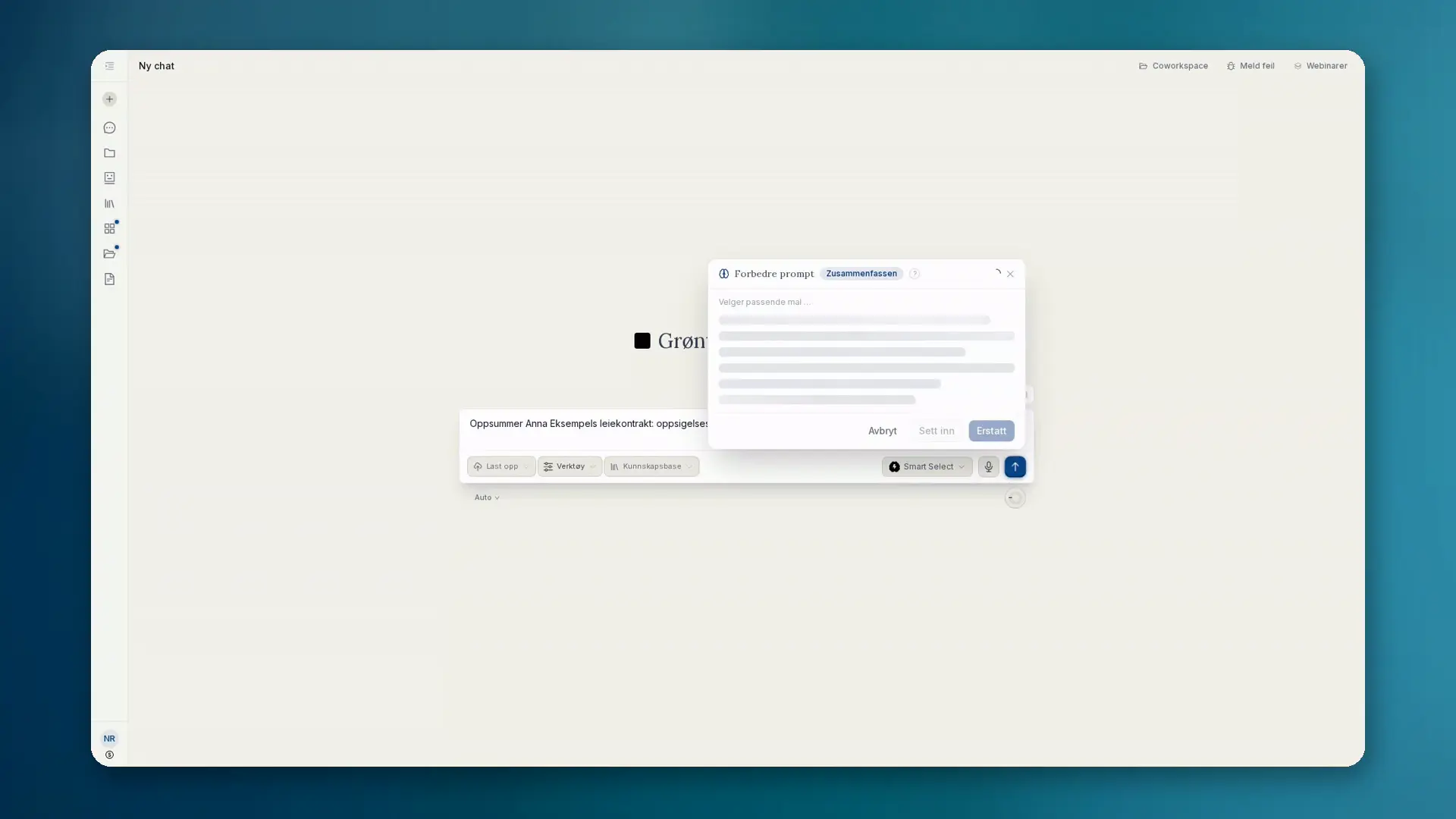
Hva Prompt-Enhancer gjør
I inntastingsfeltet i chat og prosjekter trenger du først et utkast. Først da: hold markøren over Send-knappen på datamaskin, trykk på den på mobil. Knappen Forbedre prompt vises. Et klikk skriver om det korte utkastet ditt til en tydelig strukturert prompt.
- Legger til rolle, kontekst, trinn, begrensninger og utdataformat
- Strømmer resultatet live som markdown i et panel
- Sett inn, Erstatt eller Forkast. Sending forblir en egen handling
Kontekst og maler
Forbedringen bruker chathistorikken og vedlagte filer. Tolv maler brukes automatisk, blant annet Juss (DACH), Koding, Analyse, Research, Bilde, Presentasjoner, Oppsummering og Oversettelse.
Forbedringen kjører på en EU-hostet modell. Resultatet er markdown og passer i grensesnittet.
Slik går du frem
- 01Skriv et kort utkast i inntastingsfeltet (uten tekst vises ikke knappen).
- 02Hold markøren over Send (datamaskin) eller trykk (mobil), og velg Forbedre prompt.
- 03Les omskrivingen live i panelet.
- 04Sett inn eller erstatt utkastet, og send deretter som vanlig. Eller forkast.
Når du bruker den
- Du har ideen, men ikke en ryddig promptstruktur ennå
- Tilbakevendende oppgaver skal starte med konsekvent formulering
- Du vil ha kontekst fra filer og chat uten å skrive alt på nytt