DokumentasjonVerktøy
Bildegenerering i chatten
Bilder lages i chatten via tool-call til moderne bildegenereringsmodeller. Vi holder stacken oppdatert når sterkere modeller kommer. Inkludert i abonnementet.
4 min lesetidOppdatert
Hva bildegenerering er
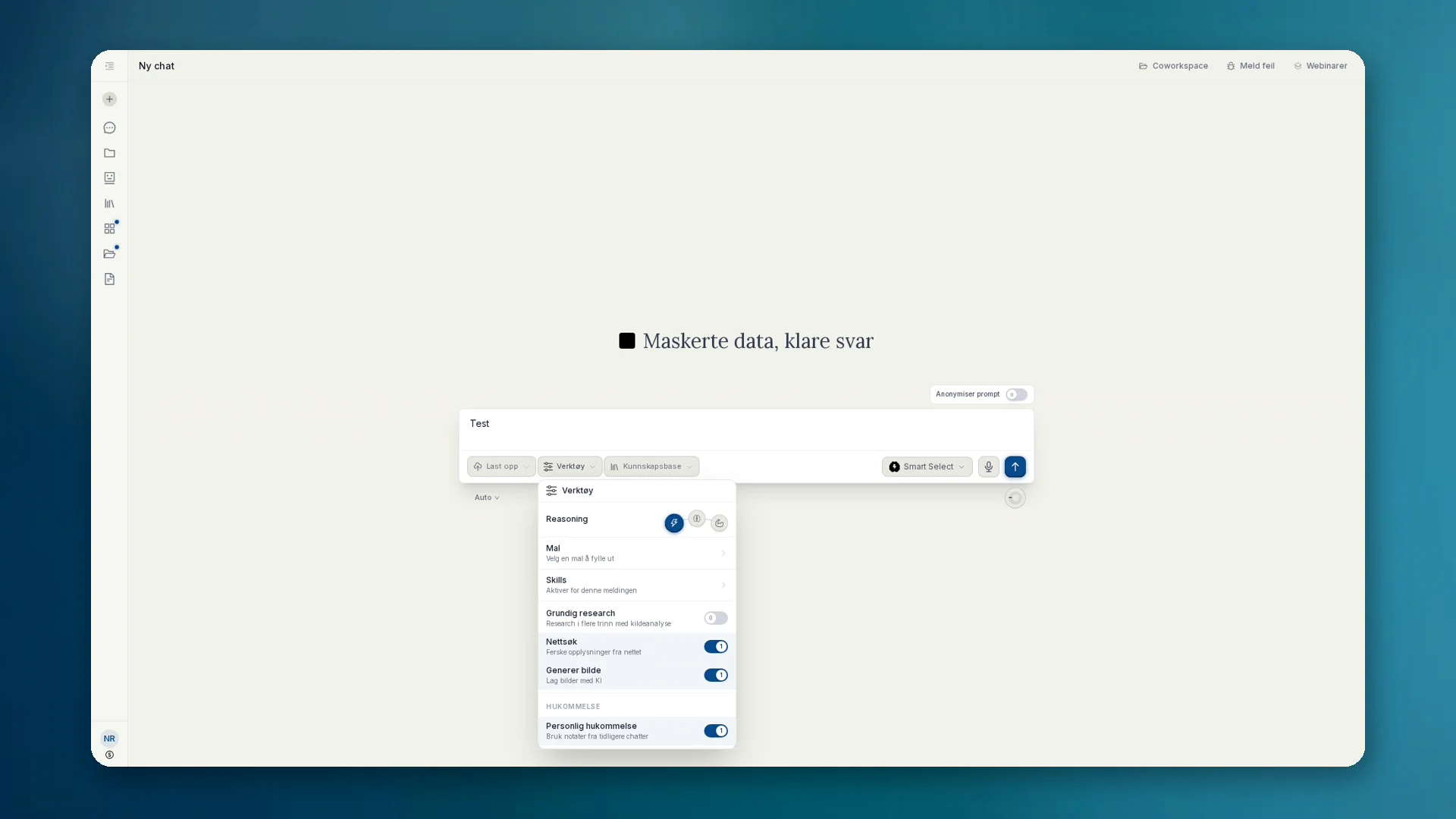
Bildegenerering er ikke et eget område under Apps, men et verktøy i chatten. Du beskriver hva du trenger. Den valgte chatmodellen gjenkjenner bildeønsket, skriver en bildeprompt og kaller bildemodellen som et eksternt verktøy.
anymize bruker moderne modeller for bildegenerering og oppdaterer integrasjonen fortløpende når sterkere modeller blir tilgjengelige. Du trenger verken et ekstra abonnement eller å bytte modell selv.
Slik bruker du det
- 01Åpne Verktøy i chatten og slå på Generer bilde.
- 02Beskriv bildet du trenger, og send. Chatmodellen starter verktøykallet til bildemodellen.
- 03Se gjennom resultatet. Juster med oppfølgingsforespørsler (stil, utsnitt, tekst i bildet).
- 04Last ned som PNG eller JPG. Lagre eventuelt som artefakt eller i en kunnskapsbase.
Personvern og fakturering
- Prompter anonymiseres ved behov før de når eksterne bildemodeller.
- Bildegenerering er en del av anymize-abonnementet. Ingen egen fakturering per bilde.
- For sensitive motiver: la anonymiseringen være på, og kontroller hva som når endepunktet.
Når det lønner seg
- Mockups, infografikk, konseptbilder til pitch eller klientpresentasjon
- Illustrasjoner som tidligere kostet bildebyrå eller byråtid
- Raske varianter i samme chat i stedet for å bytte verktøy