DokumentationAnonymisering
Personlig ordbog
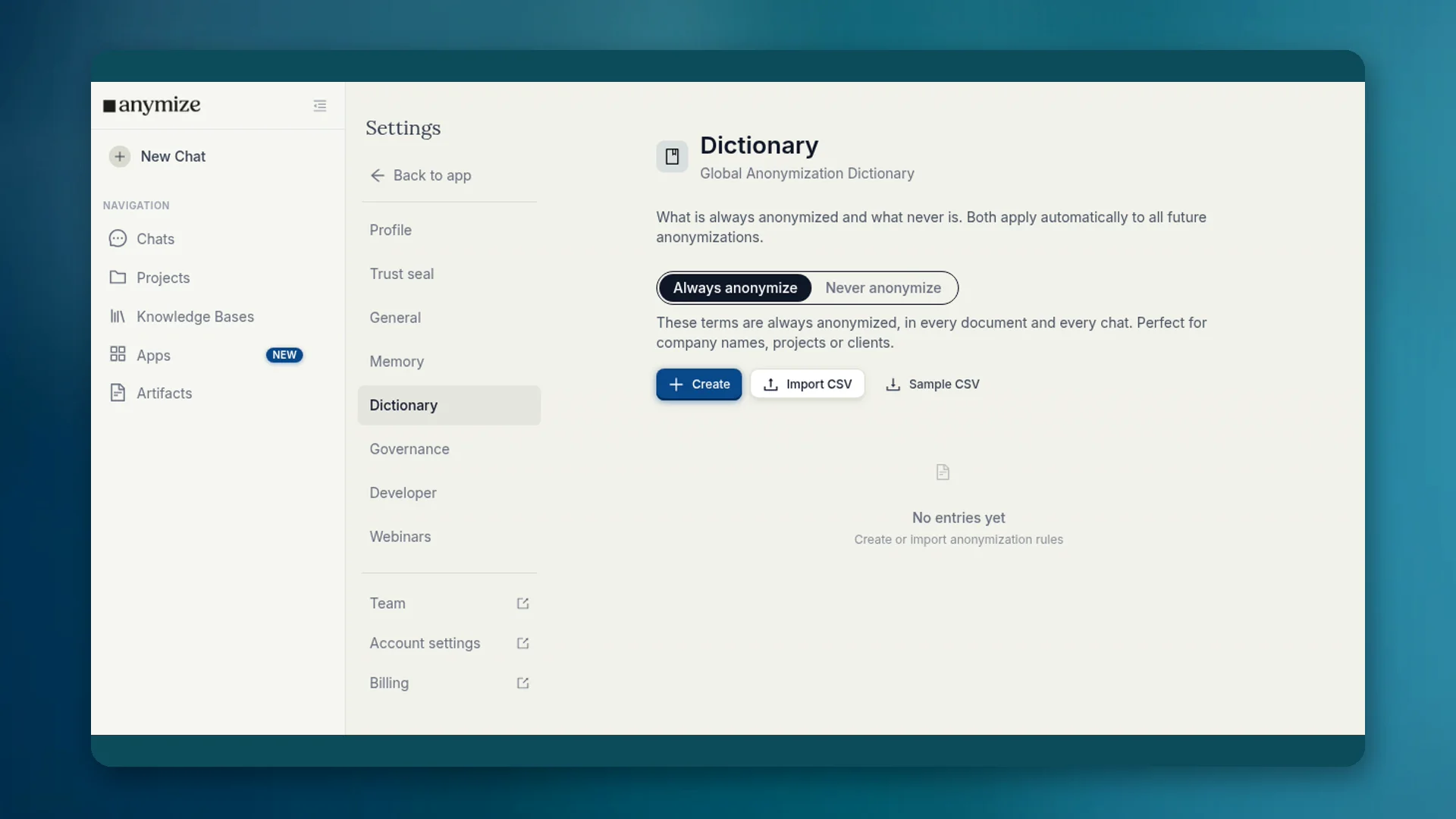
I ordbogen bestemmer du, hvilke begreber der altid anonymiseres, og hvilke der aldrig gør. Listerne gælder automatisk i hver chat og hvert dokument.
4 min. læsningOpdateret
Hvad ordbogen er til
Genkendelsen kender ikke jeres interne begreber. Et projektnavn kan forblive i klartekst, selvom det er følsomt. Firmaets navn kan blive til en pladsholder og gøre svarene svære at læse. Ordbogen retter begge dele permanent.
Hvor du finder den
- Apps → Ordbog: den samme brugerflade i Apps-området.
- Indstillinger → Ordbog: global anonymiseringsordbog i kontoen.
- Governance Center → Ordbog: teamposter for admins (se separat artikel).
Apps og Indstillinger viser dine lister. Poster, der gælder for alle medlemmer, administreres af ejere og admins i Governance-ordbogen.
Altid og Aldrig
| Liste | Eksempel | Virkning |
|---|---|---|
| Anonymiser altid | Klientnavn, internt projekt, kodenavn | Bliver til en pladsholder i alle dokumenter og chats |
| Anonymiser aldrig | Firmaets navn, produktnavn, fagudtryk | Forbliver i klartekst og når modellen uændret |
Opret poster med Opret, eller importér en CSV-fil. Ved Anonymiser altid vælger du også pladsholderkategorien (person, organisation, sted og flere).
Personlig og Governance
Din personlige ordbog gælder for dig. Teamposter gælder for alle og må kun sættes af ejere og admins, fordi de ændrer anonymiseringen for hele teamet. Detaljer og reglen Bloker teamordbog står under Governance → Ordbog.
Kort sagt: finjustering for dig her. Bindende husregler i Governance-ordbogen.
Typiske tilfælde
- Jeres firmanavn genkendes fejlagtigt som organisation → Anonymiser aldrig.
- En klients kodenavn bliver ikke genkendt → Anonymiser altid.
- Et skatteretligt begreb ligner et navn → Anonymiser aldrig.