DokumentationVærktøjer
Prompt-Enhancer
Et kort udkast bliver til en struktureret prompt via hjerne-knappen ved Send.
4 min. læsningOpdateret
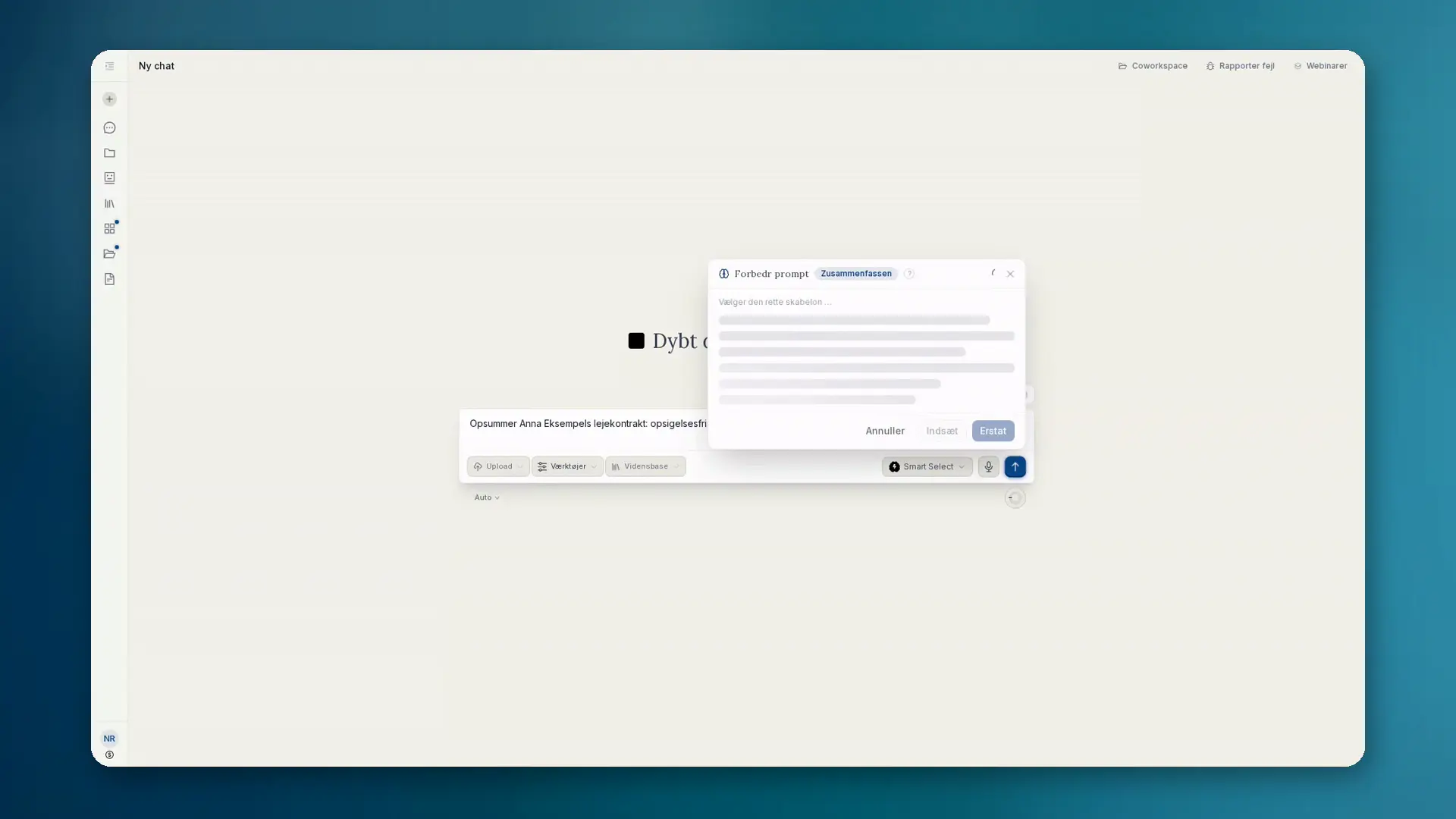
Hvad Prompt-Enhancer gør
I indtastningsfeltet i chat og projekter skal du først have et udkast. Først derefter: hold markøren over Send-knappen på desktop, tryk på den på mobil. Knappen Forbedr prompt vises. Et klik omskriver dit korte udkast til en tydeligt struktureret prompt.
- Tilføjer rolle, kontekst, trin, begrænsninger og outputformat
- Streamer resultatet live som markdown i et panel
- Indsæt, Erstat eller Kassér. Afsendelse forbliver en separat handling
Kontekst og skabeloner
Forbedringen bruger chathistorikken og vedhæftede filer. Tolv skabeloner matches automatisk, bl.a. Jura (DACH), Kode, Analyse, Research, Billede, Præsentationer, Opsummering og Oversættelse.
Forbedringen kører på en EU-hostet model. Resultatet er markdown og passer til brugerfladen.
Sådan gør du
- 01Skriv et kort udkast i indtastningsfeltet (uden tekst vises knappen ikke).
- 02Hold markøren over Send (desktop) eller tryk (mobil), og vælg Forbedr prompt.
- 03Læs omskrivningen live i panelet.
- 04Indsæt eller erstat udkastet, og send derefter som normalt. Eller kassér.
Hvornår du bruger den
- Du har idéen, men endnu ikke en ren promptstruktur
- Tilbagevendende opgaver skal starte med ensartet formulering
- Du vil have kontekst fra filer og chat uden at skrive alt igen